Ticking Time Bombs: The Silent Capacitor Crisis That's Quietly Destroying Retro Consoles
You dug it out of the attic. Maybe you scored it at a flea market or paid a premium for a "fully working" unit on eBay. You plug it in, fire it up, and everything seems fine — until it isn't. The screen flickers. The audio crackles like a busted AM radio. Then one day, nothing. Just the faint, unmistakable smell of something burning that shouldn't be.
Welcome to the capacitor crisis. It's been creeping through the retro gaming world for years, and if you haven't thought seriously about it yet, now is absolutely the time to start.
What Even Is a Capacitor?
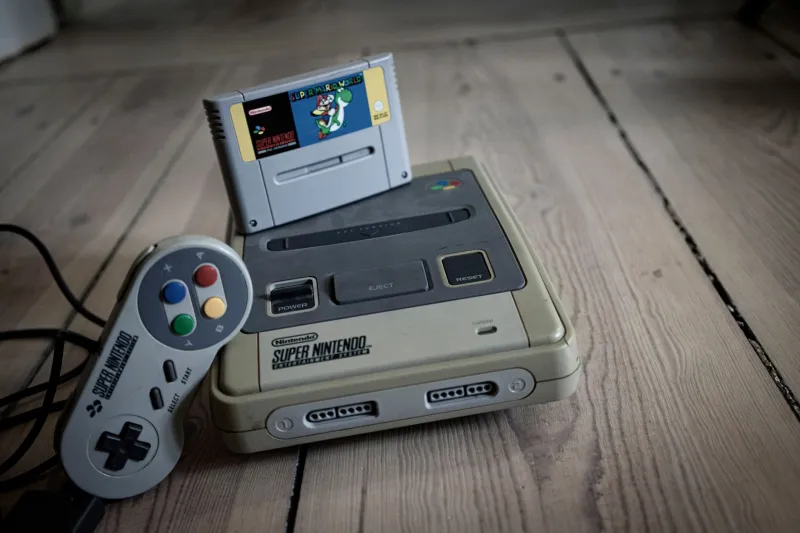
Before we get into the doom and gloom, a quick primer. Capacitors are tiny electronic components that store and release electrical energy. They're in basically every piece of consumer electronics ever made — your vintage SNES, your original PlayStation, that beautiful Sega CD you finally tracked down. They smooth out power delivery, filter signal noise, and keep the whole electrical ecosystem of a device running cleanly.
The problem? They don't last forever. And a lot of them were never built to make it to 2025.
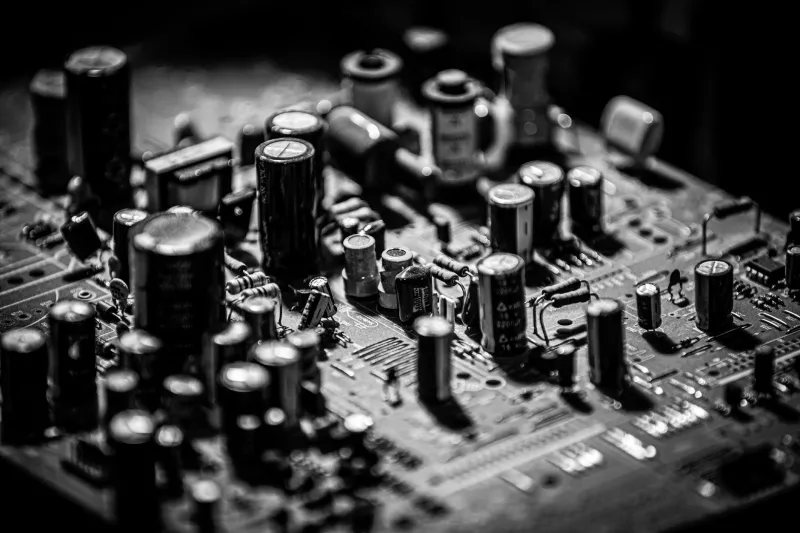
Electrolytic capacitors — the most common type found in 80s and 90s hardware — are essentially cylinders filled with a liquid electrolyte. Over time, that fluid dries out, leaks, or chemically degrades. Heat accelerates the process. Age accelerates it more. And here's the kicker: a bad capacitor doesn't always announce itself dramatically. Sometimes it just quietly fails, dragging your hardware's performance down so gradually you barely notice until something catastrophic happens.
The Infamous Capacitor Plague
If you've spent any time in electronics repair circles, you've probably heard about the "capacitor plague" of the early-to-mid 2000s. A stolen electrolyte formula — allegedly originating from industrial espionage in Taiwan — made its way into capacitors manufactured by several major suppliers. The formula was incomplete, and the resulting capacitors were dramatically prone to early failure. Millions of units shipped with these defective components before anyone realized what was happening.
That era of hardware — think late 90s to mid-2000s gaming machines, monitors, and arcade boards — is hitting a particularly dangerous window right now. But even hardware that dodged the plague isn't immune. Standard capacitor lifespan in consumer electronics is typically rated somewhere between 1,000 and 10,000 hours of use, with a general shelf life expectancy of around 20 years under ideal storage conditions. We are well past that threshold for anything manufactured before 2005.
Which Systems Should You Be Worried About?
Honestly? Most of them. But some deserve extra attention.
Sega CD and 32X are notorious for capacitor issues. The Sega CD in particular has a laser assembly that's already fragile, and deteriorating caps make power delivery unstable enough to accelerate that laser's decline. Many collectors treat recapping a Sega CD as a mandatory step, not an optional upgrade.
Neo Geo AES and MVS boards are beloved for their arcade-perfect home play, but aging caps are a serious concern — especially on the MVS boards that spent years running hot inside arcade cabinets.
Original Game Boy and Game Boy Color units have capacitor sets that are starting to show their age, with audio issues often being the first symptom.
PlayStation 1 units, particularly early revisions, have documented issues with caps near the power supply section.
Arcade PCBs across the board — CPS2 boards, Konami classics, SNK hardware — are all at elevated risk. Many of these boards ran continuously for years inside commercial machines, clocking far more operational hours than any home console.
And don't overlook CRT monitors. The capacitors inside vintage television sets and arcade monitors are often in even worse shape than the consoles themselves, and a failing cap in a high-voltage CRT circuit isn't just a hardware problem — it's a safety issue.
How to Spot the Warning Signs
Your hardware will usually give you signals before it completely gives up the ghost. Keep an eye — and ear — out for:
- Audio distortion or complete audio loss, especially on systems where sound was previously clear
- Video signal instability — rolling lines, color bleeding, or a picture that takes longer than usual to stabilize
- Failure to boot, or boots that only succeed after the unit warms up for several minutes
- Visible leakage on the board itself — look for brownish or crusty residue around cylindrical components
- Swollen capacitor tops — a healthy cap has a flat top; a bulging or domed top means it's failing
- Unusual smells during operation, particularly anything sharp or chemical
If you're seeing any of these, the clock isn't just ticking — it may have already run out.
What You Can Actually Do About It
The good news is that recapping — the process of replacing old capacitors with fresh ones — is a well-established repair practice in the retro community, and it genuinely works. A properly recapped console can run reliably for another decade or more.
If you're comfortable with a soldering iron and have some experience with electronics, recapping is a learnable skill. Sites like Console5 sell system-specific capacitor kits with all the components you need for popular platforms. YouTube is full of system-specific guides from experienced technicians. For a lot of common systems, it's a manageable afternoon project.
If soldering isn't your thing, that's completely fine. A growing network of retro hardware repair specialists across the US offer recapping services, and the cost is usually reasonable relative to what you've invested in your collection. Check communities like r/consolerepair or the various Discord servers dedicated to specific platforms — people there can point you toward reputable repair folks in your region.
One important note: use quality replacement caps. Cheap replacements from sketchy suppliers can fail just as fast as the originals. Nichicon, Panasonic, and Rubycon are well-regarded brands in the repair community. If someone's recapping your hardware, it's fair to ask what brand they're using.
The Bigger Picture for Your Collection
Here's the uncomfortable truth that the retro collecting world doesn't always want to sit with: these machines are old. The hardware that defined so many of our childhoods was built with a lifespan that nobody imagined would need to stretch to 2025 and beyond. Keeping it alive requires active effort, not just careful storage.
Think of it like classic car ownership. A 1969 Mustang sitting in a climate-controlled garage is still going to need maintenance. The rubber seals dry out. The fuel lines crack. You can't just park it and expect it to stay pristine forever. Vintage electronics are no different.
The collectors who are going to have working hardware in another twenty years are the ones treating their consoles as living machines that need periodic care — not museum pieces sealed behind glass and forgotten.
Your PixelVault is only as good as the hardware inside it. Start taking inventory of what you have, learn which systems are most at risk, and make a plan. The capacitors in your collection aren't going to wait for you to get around to it.
Get ahead of this one before your favorite console does the waiting for you.